AI IN FRAME.IO

Your creative work has context.
Now AI can put it to work.

Your projects, assets, feedback, and creative work already live in Frame.io. Now AI can put that context to work to help you find what you need, handle repetitive tasks, and free up time — so you can focus on creating.


A video editor working at a multi-monitor desk with overlaid graphic callouts highlighting AI features like AI Assistant, AI-Powered Search, Open in Firefly, and Content Credentials.
Assist

Spend less time managing projects and more time creating.

Find

Find the asset you need without remembering filenames or tags.

Connect

Keep work moving across Frame.io, your agents, and Adobe Firefly.

Trust

See where your media came from and whether AI was involved.

Frame.io AI Assistant

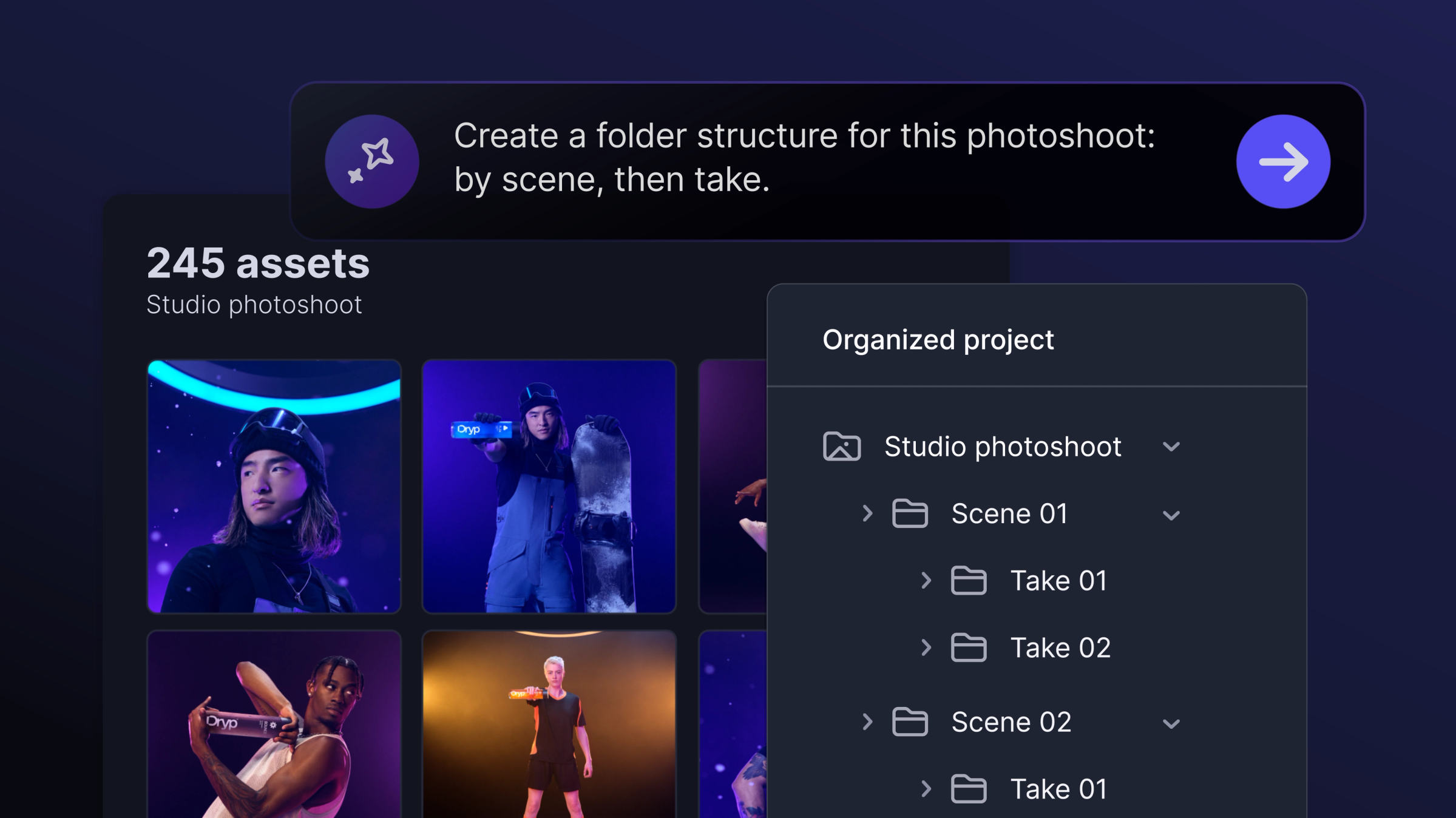
Got hundreds of assets to organize?
Give it 30 seconds.

Let AI Assistant handle the project housekeeping so you can get back to creating.

Just describe what you need to organize folders, rename files, update metadata, summarize feedback, and more.

AI prompt box stating "Create a folder structure for this photoshoot: by scene, then take" above a photo gallery and an automatically organized hierarchical folder list sorted by scene and take.
Stay organized.

Build folder structures with a single prompt.

Update assets in bulk.

Rename files and add custom field metadata.

Get caught up quickly.

Summarize feedback and project updates.

FRAME.IO MCP (BETA)

Get more done with your agent.
Just ask.

With Frame.io MCP (beta), you can move assets between tools, coordinate workflows between projects, and take action across your Frame.io account — just by asking your agent.

Now supporting Claude, ChatGPT, Cursor, and GitHub Copilot, and more.

A diagram showing multiple AI model icons—including OpenAI, Microsoft Copilot, Claude, and Mistral—connected by circuit lines into a single blue audio-wave icon.
ADOBE FIREFLY FRAME.IO INTEGRATIONS

Frame.io + Adobe Firefly.

A match made for creators.

From quick changes to entirely new creative directions, bring the power of Firefly generation and editing into your Frame.io workflow.

Make quick changes without your project file.

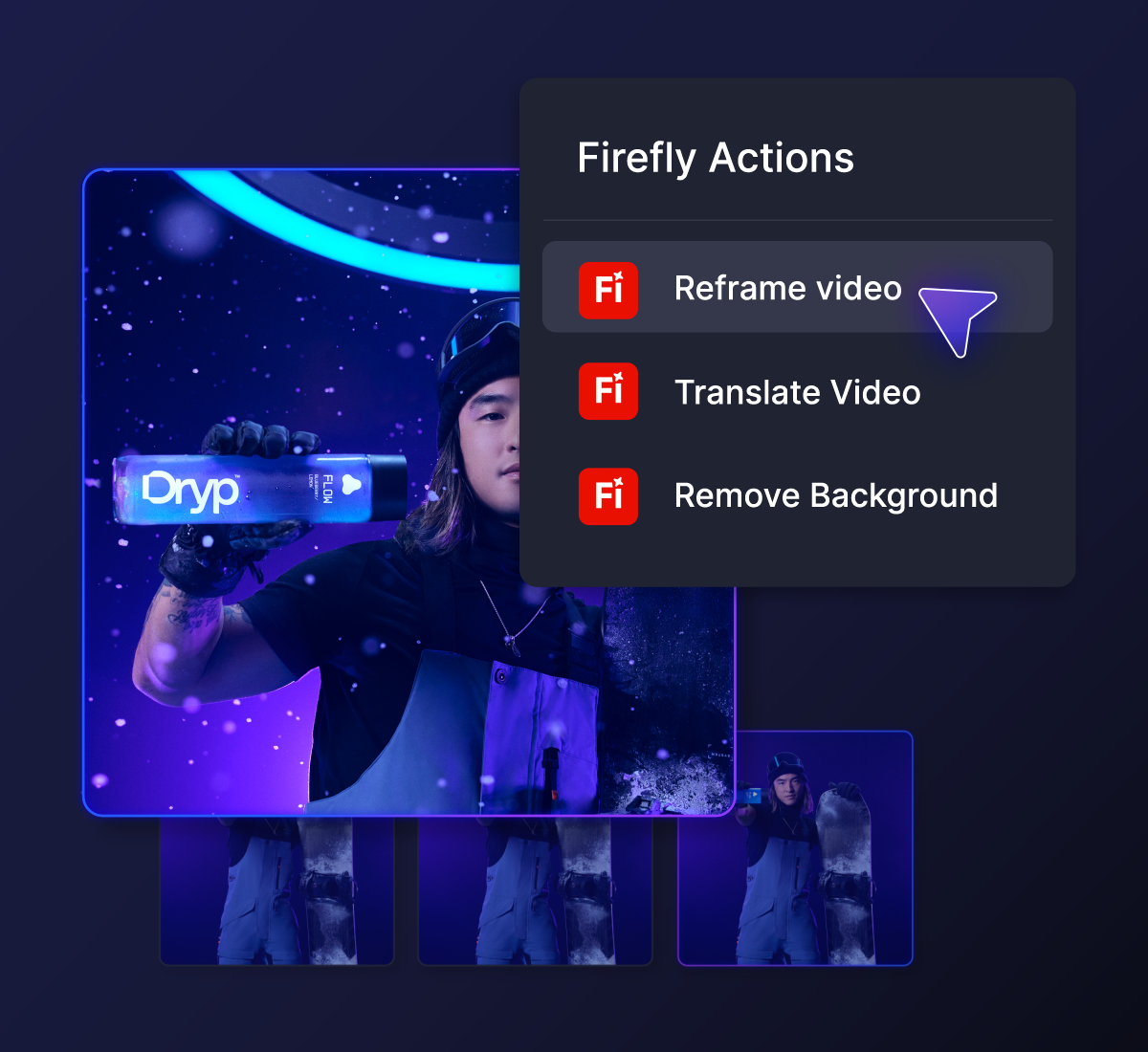
Handle everyday adjustments on the fly. Just use Firefly Actions in Frame.io Labs to reframe, translate and dub content, or remove backgrounds.

Firefly Actions menu with a cursor selecting the Reframe video option over a video frame.
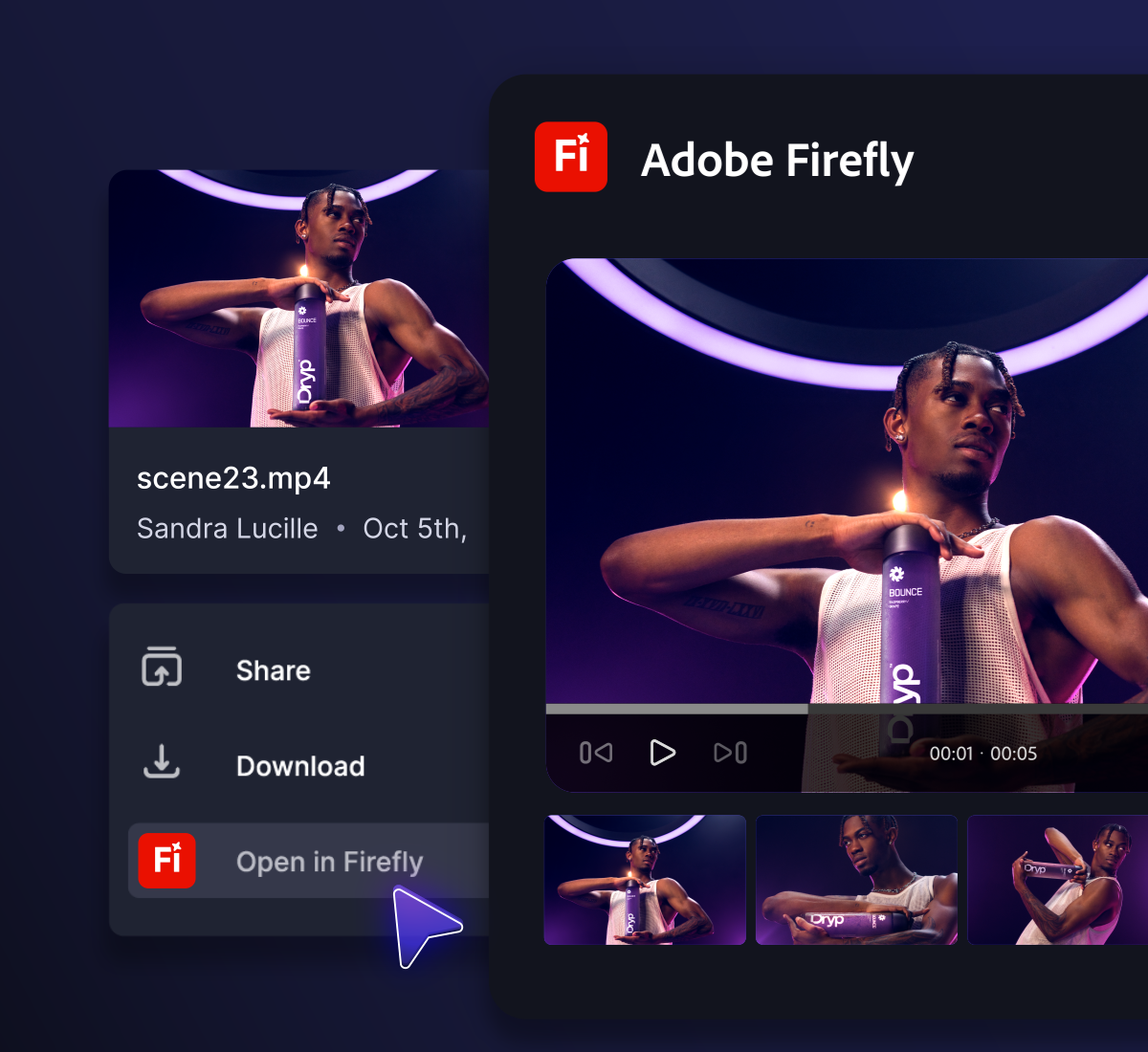
Open in Firefly to keep creating without starting over.

Open assets directly from Frame.io in the Firefly Video Editor to explore new ideas and make edits — without downloading, re-exporting, and re-uploading.

A user interface showing an "Open in Firefly" option selected from a file menu beside an Adobe Firefly video player previewing a clip of a man holding a product.
Scale your content production. Not your workload.

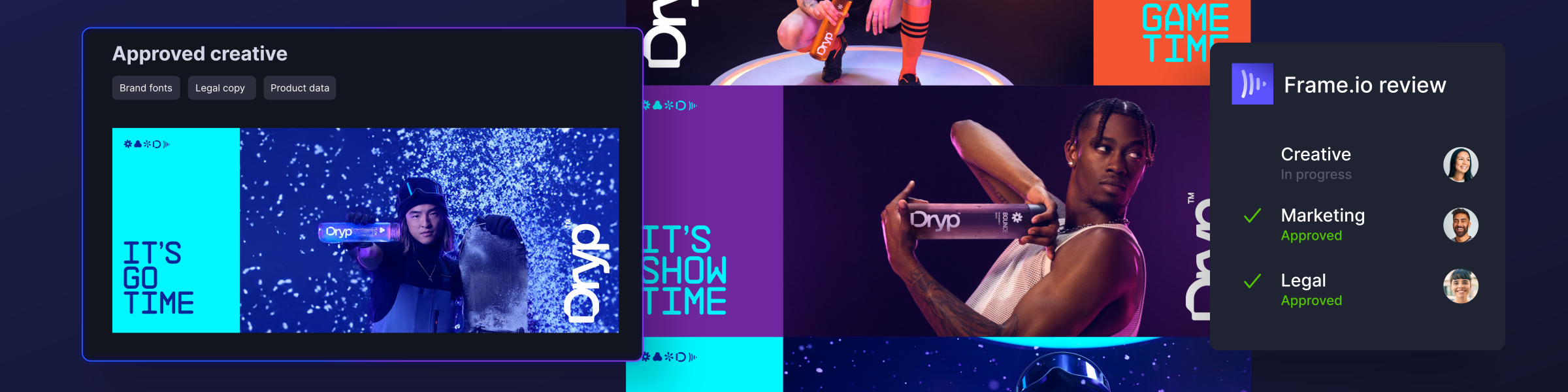
Firefly Creative Production automates on-brand variations across formats and markets using your brand rules, fonts, legal copy, and product data — all from your approved templates. Creative, marketing, legal, and regional teams then review and approve in Frame.io.

Available for eligible Enterprise accounts.

Interface display of a digital creative review workflow, showing multimedia ad assets alongside approval status panels for Frame.io.
CONTENT CREDENTIALS IN FRAME.IO

Before it goes live, know where it came from.

Now you can make more informed decisions about the content you’re using.

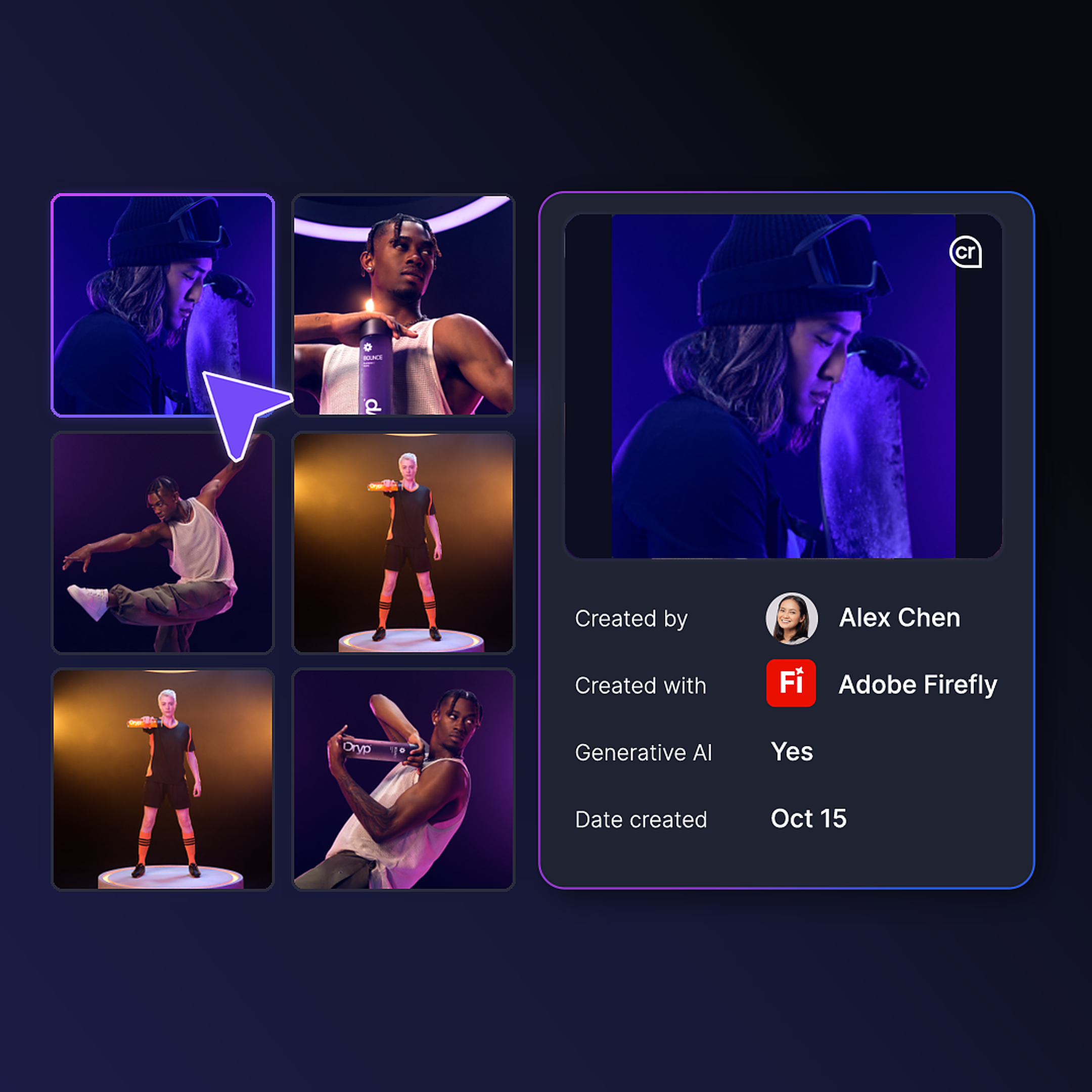
Content Credentials helps you see available information about where media came from, how it was created, and whether generative AI was involved.

A digital interface displaying image details and Content Credentials metadata, including creator, creation date, and generative AI attribution using Adobe Firefly.

Make more room
for the work that matters.

Spend less time searching, organizing, and managing the details, and more time bringing your ideas to life.